
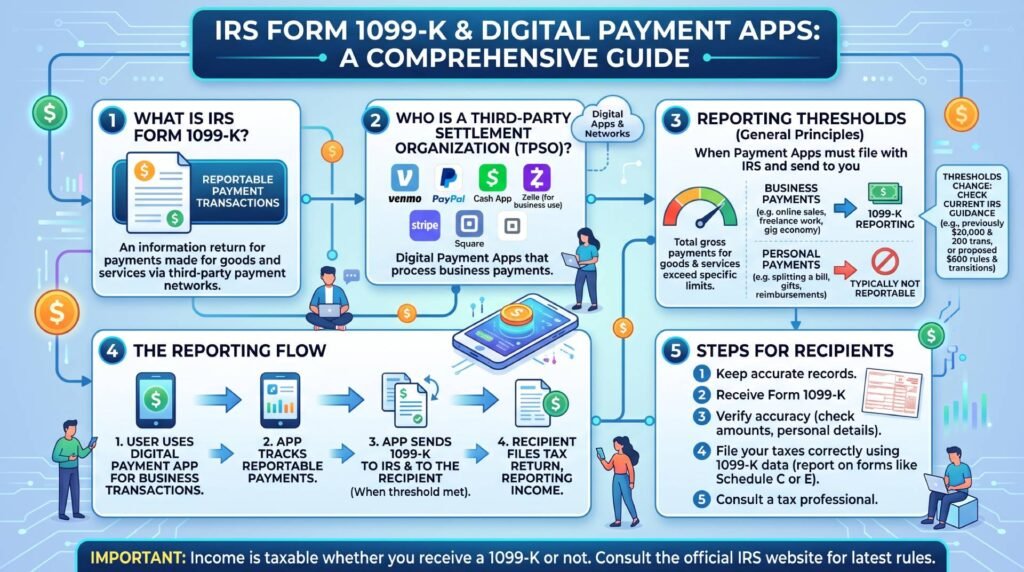
Digital payment processors have transformed modern business. Today, freelancers and small business owners rely heavily on apps like Venmo, PayPal, Stripe, and Square. However, the IRS now monitors these electronic transactions far more closely.
Understanding Form 1099-K rules is vital for every modern entrepreneur. Therefore, staying informed helps you avoid costly mismatch notices from the IRS.
1. What Is Form 1099-K?
Form 1099-K tracks reportable electronic payments. First, payment networks like PayPal, Stripe, and Venmo generate this document. Next, they send copies of the form directly to you and the IRS.
Key Rule: Form 1099-K covers only commercial transactions. For example, it tracks payments for goods or services. However, it completely excludes personal reimbursements, gifts, and split restaurant tabs.
2. Federal Reporting Thresholds
Federal guidelines set specific triggers for this tax form:
-
Third-Party Payment Networks: Platforms like Venmo and PayPal issue a 1099-K once gross sales exceed $20,000 AND 200 transactions.
-
Credit and Debit Card Processing: Direct card-swipe processors have a $0 threshold. Consequently, merchant processors report all card payments regardless of volume.
-
State-Level Exceptions: In addition, several states enforce independent thresholds as low as $600. Thus, you might receive a state form even without a federal form.
3. The Big Tax Myth: “No Form = No Tax”
Many gig workers believe a common myth. Specifically, they assume that unrecorded payments are tax-free. This assumption causes severe audit risks.
-
All Income Counts: Under federal tax law, you must report all earned income. In fact, you must report it on your tax return even if you never receive an official form.
-
Automated Data Matching: The IRS runs powerful data-matching programs. For instance, these computers instantly flag discrepancies between payment processors and filed returns. As a result, unstated income triggers automatic tax notices like the CP2000.
4. Gross vs. Net Income: Platform Fees
Form 1099-K reports your gross receipts, not your actual profit.
-
Box 1a shows total sales: Payment apps do not subtract processing fees, refunds, or shipping labels from this number.
-
How to report properly: First, enter the gross amount on your gross income line. After that, deduct your merchant fees and business expenses on your Schedule C. If you adjust the gross line directly, the IRS system flags your return.
5. Practical Checklist for Small Businesses
-
Separate Personal and Business Accounts: First, set up a dedicated business profile on every payment app. Consequently, this step prevents algorithms from mistaking personal transfers for taxable revenue.
-
Reconcile Monthly: Next, compare your processor statements with your bookkeeping software every month.
-
Avoid Double-Reporting: Furthermore, clients who pay you via credit card or PayPal should not send you a 1099-NEC. If they do, you risk paying tax twice on the same payment.
-
Update Tax ID Details: Finally, ensure every payment app holds your correct EIN. Otherwise, processors must withhold 24% backup withholding from your payouts.
Need Expert Guidance?
Reconciling merchant accounts requires accurate bookkeeping and proactive planning. Fortunately, The Taxman 59 helps contractors, freelancers, and small business owners optimize their reporting. We safeguard your business and secure every allowable deduction.
Therefore, contact our team today to review your merchant accounts before the filing deadline.
